
If you are an avid Marvel fan or at least have seen 1 of the first 2 Gaurdians of the Galaxy movies then you know Yondu. The blue-skinned, red-mohawked, bounty hunter and his whistle controlled flying arrow. So it seemed fitting that today we could talk about what I would assume Yondus favorite function would be, the arrow function.
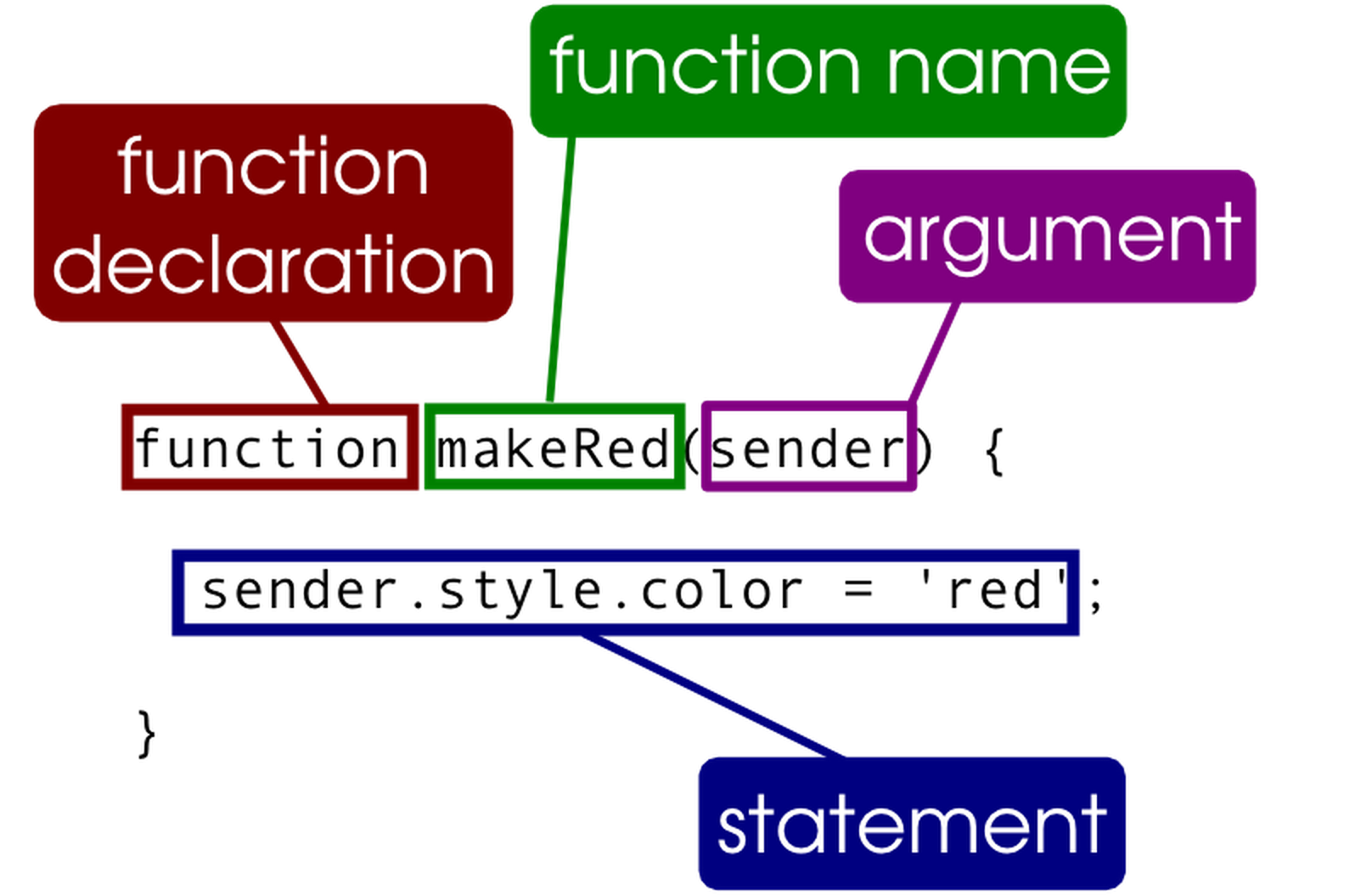
Arrow functions were introduced in JavaScript ES6 and can be confusing for new programmers especially those who may have started with the traditional function like so:
With that being said, once you can understand the idea of an arrow function, it can make life easier in many ways and result in a much cleaner and simplified code. So, that’s what I hope to help with today.
We will start with a simple traditional function and break that down piece by piece to understand how to restructure a normal function to an arrow function. Hopefully gaining a better understanding of the overall structure of arrow functions.

Here we have a simple add function and its invocation. Lets break it down to look something like our example below (slide to reveal).
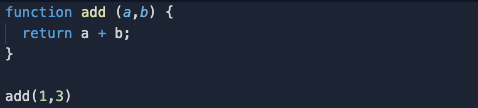
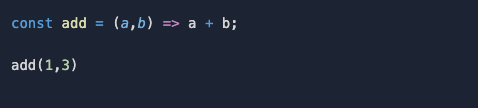
The first part of this transformation from a traditional function to an arrow function is rather simple. The function declaration becomes a variable in which our arrow function will be stored. Our function name can stay the same, the only difference is now it is stored as a variable that will be equal to our function! And as you can see, the parameters stay the same.


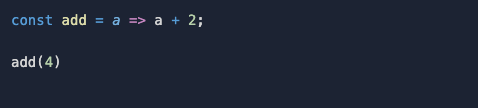
One side note to keep in mind is that your parameters in a traditional function always need to be encased in parentheses whereas with an arrow function they only need parentheses with 2 or more parameters. Otherwise, no parentheses are necessary (see example below).
Now the final transition from a traditional function to an arrow function is the most interesting to me and the part that can help clean up code, and lessen keystrokes.
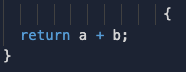
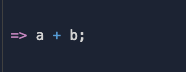
You might be freaking out, “where are the curly brackets!?”, “Where’s the return!?” A function cannot exist without those, right? Well not necessarily. This is the part where Yondu would be really proud of his little arrow. The arrow in this syntax implicitly returns what follows after, so no curly brackets or return required. 🤯 Now if you feel like you can’t be without those, they can still be added as well.
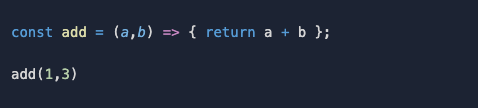
This is a simple overview of arrow functions, they can get much much more complex. But this should give you a good idea of how they are structured and how you can start turning your traditional functions to arrow functions in JavaScript. With some practice and lots of debugging you’ll be able to start using array methods with it and get more and more complex with your arrow functions.
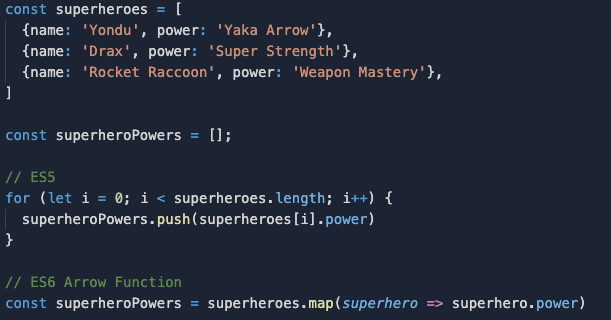

 Bubba Blogs